Click a string, or the edge of a landing, to put a balustrade on it. Click it again to take it off.
Click a string, or the edge of a landing, to put a balustrade on it. Click it again to take it off.
This takes a few seconds. A staircase is a great deal of timber.
Save this staircase
Give it a reference you will recognise. Everything you have chosen is kept against the code below.
Code
You're not signed in
Saved anyway — the code above brings it back on any device.
Your staircase is still saved, and the code above brings it back on any device. It just will not appear in an account area, because there are no accounts yet.
What an account would give you
- • Your designs kept in one place
- • A record of what you have ordered
- • A quicker way through the checkout
- • A basket that waits for you
Take it away with you
A five-page PDF with the drawings, every figure, the price and our terms on it.
Email yourself a copy
Leave your details and we will email you the design, its code and what it comes to, so you can find it again.
Open a saved design
Type the code from a staircase you designed earlier and it will be loaded back exactly as you left it.
Sign in to see your saved designs
Accounts are not open yet, so a design is found by its code.
A list of everything you have designed needs an account to hang off, and accounts are not open yet. Until then a design is found by its code.
Start a new staircase
You will begin again from scratch. The staircase you have now is already saved and will not be lost — but you will need its code to find it again.
You're not signed in
The code above is the only way back to this one. Keep a note of it.
With an account this one would be waiting for you when you came back. Without one, the code above is the only way to it, so keep a note of it before you start again.
Your quote, as a PDF
Your quote, Print it, keep it, or send it to whoever is doing the work. The quote includes:
The staircase drawn large, a technical worksheet with every figure on it, two more views, the price and our terms.
- 1 The staircase, drawn large, with your reference on it.
- 2 A technical worksheet: every size, how it is built, and what of.
- 3 Two more views, front and back.
- 4 The price, our details, and a link straight back to this design.
- 5 Terms and conditions.
Code
Downloaded. Look in wherever your browser puts files.
That quote would not build. Try again, and if it keeps failing it is our end rather than yours.
Stand it in your room
Point your phone's camera at the code and the same staircase opens on it. From there you can stand it on the floor of the room it is going in and walk round it, at the size it will actually be built.
This phone's browser will not do it. On an Android phone try Chrome; on an iPhone, Safari. Both can stand the staircase on the floor of the room you are in.
It is drawn on its own for this — no walls, no floors and no figures written on it. The staircase and nothing else.
Save the staircase and a code appears here.
Share this staircase
Anyone with the link sees the staircase exactly as it stands, and can carry on from it.
Keep the link
Bookmark it with , or paste it somewhere you will find it again.
Send it on
Download the quote
Five pages: the staircase, a technical worksheet with every figure on it, two more views, the price and our terms.
Email the design and the price
Leave your details and we will email the design and what it comes to, with a link that opens it again.
Need a hand?
Staircases have a lot of parts, and not every job fits a standard one. If the designer will not do what you need, tell us what you are after and we will work it out with you.
Using the designer
- • Work down the menu: shape, then sizes, then materials. Work down the menu. Start with the shape under Layout, then the sizes, then what it is made of.
- • Drag to turn it, pinch to come closer, Recenter to start again. Drag to turn the staircase, scroll to come in closer, and Recenter puts the view back.
- • Dims, Walls and 2D are the switches down the right. Dims writes the sizes on it, Walls stands it in the room, and 2D looks straight down on the plan.
- • It saves as you go. The code is how you get back to it. Everything saves itself as you go. The code by your ref is how you get back to this design.
Send us a message
Tell us what you need and we will come back to you. Your staircase code is sent with it, so we can see the design you are looking at.
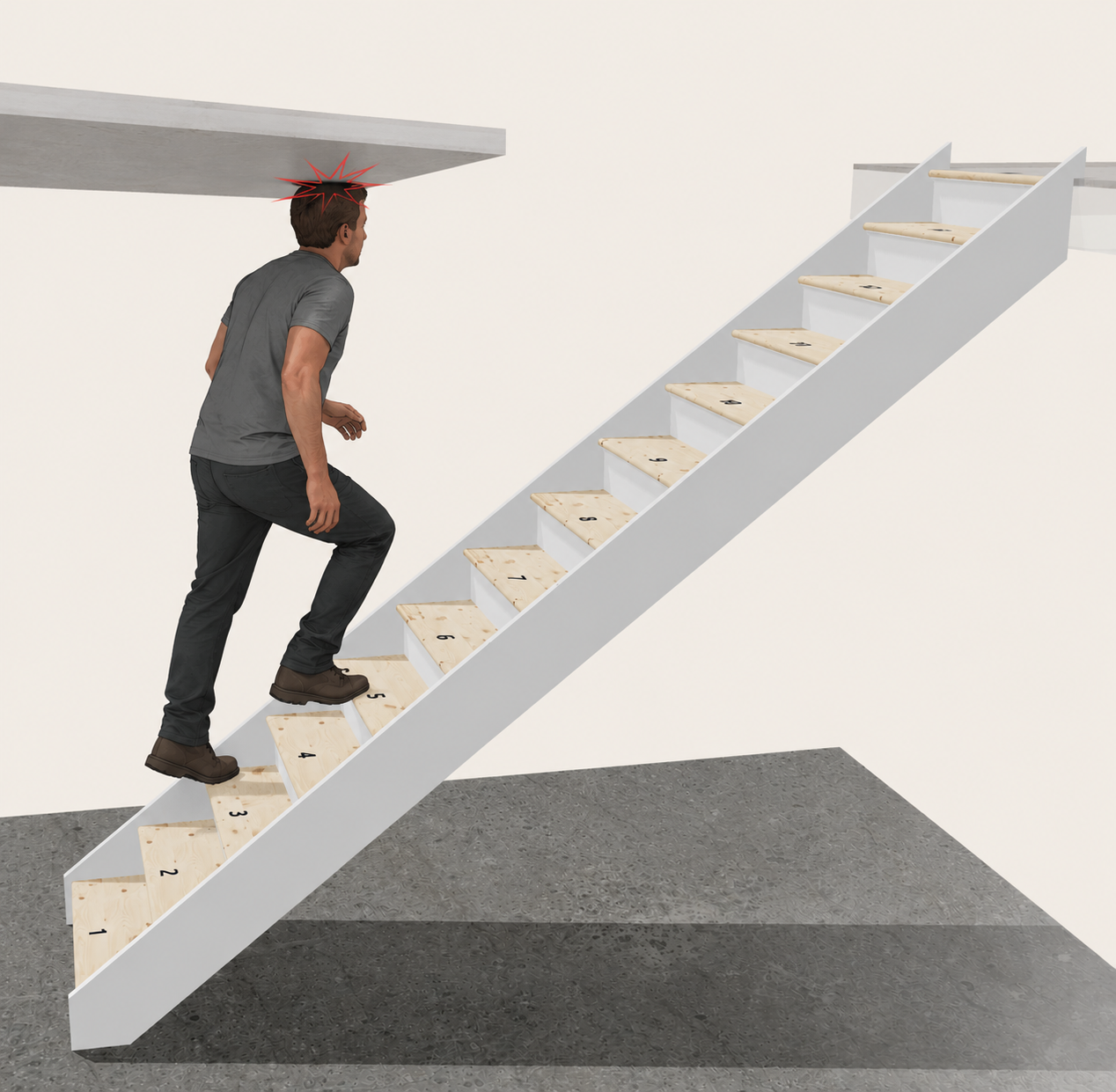
How high is your ceiling?
We'll use this to show you the minimum size of the stair well opening in order to achieve the required headroom.
It's an easy detail to overlook when planning a staircase, but an important one to get right.
Click a string, or the edge of a landing, to put a balustrade on it. Click it again to take it off.
Measured. Your ceiling height is on the Dimensions step now, under the total rise, and you can change it there.
Where the wall stops
The bottom of the first run can stand out past the wall beside it. Choose which side the wall stops on, how far down the run it stops, and how far the run comes out.
Side
Click a string, or the edge of a landing, to put a balustrade on it. Click it again to take it off.
There is no post where the string breaks, and no balustrade above it — the handrail simply stops at the wall.